Run a Review
Think of Review as an ongoing background agent for your whole codebase. It uses context from across the default branch, not just one pull request or changed file, to understand your instrumentation as a system. It reports findings without changing code.
Start a Review
Rose runs scheduled reviews for active repositories that have changed. If your plan offers on-demand reviews, you can also select Run review for an active repository. When that action is temporarily unavailable, Rose shows when you can use it again.
If a repository is missing, return to Set up Rose and check both GitHub App access and Rose activation.
Follow its progress
Keep the repository page open or return to it later. A Review can be:
- In progress: Rose is examining the repository. Wait for it to finish before acting on results.
- Complete with findings: open the findings and decide which ones need attention.
- Complete with no findings: no action is required. Future scheduled reviews will examine later changes.
- Failed: retry when Run review is available. If it fails again, see Troubleshoot Rose.
The GitHub dashboard issue
When GitHub Issues are enabled, Rose can put results in one dashboard issue for the active repository. Use the actions Rose provides in that issue rather than rewriting its title or body.
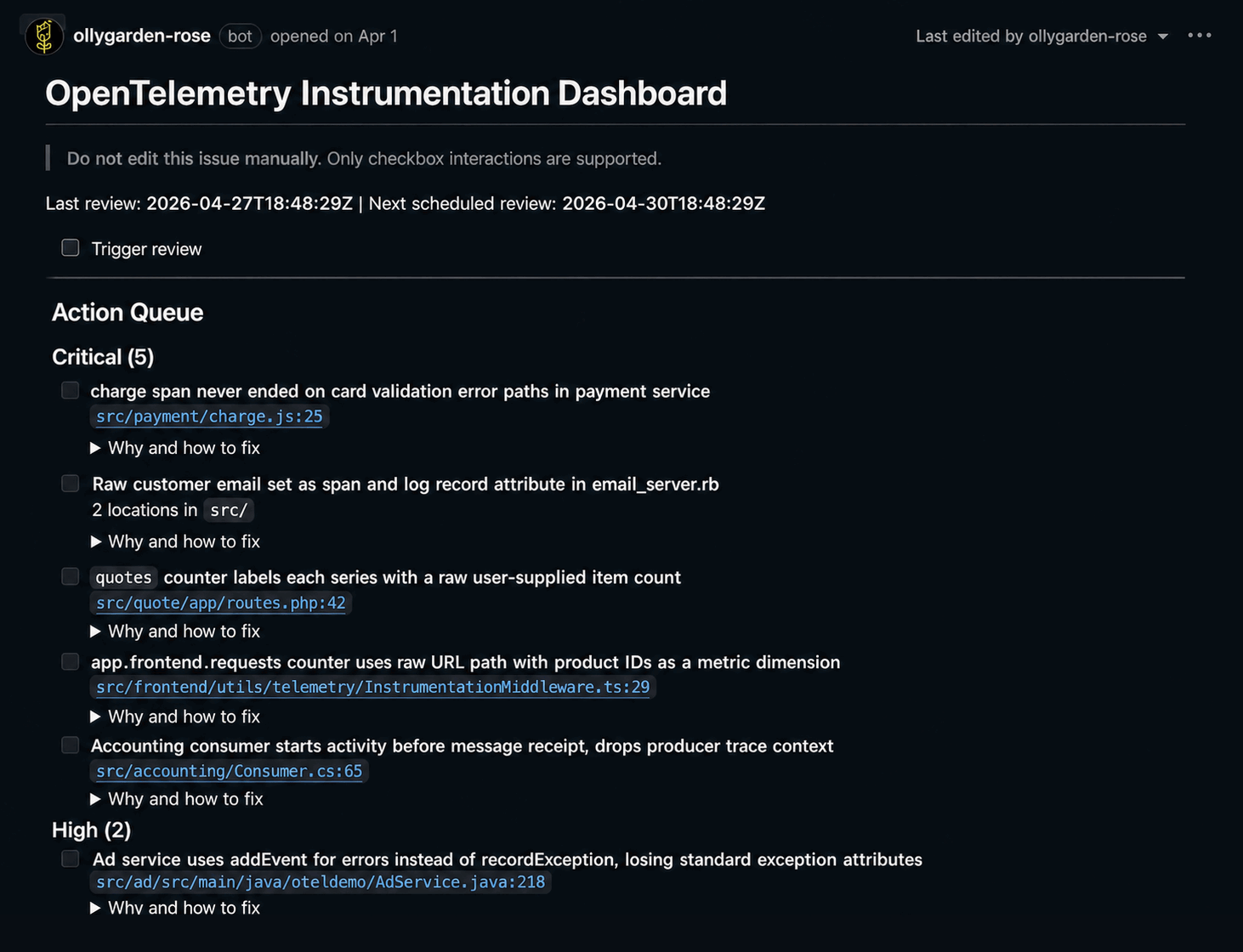
The dashboard issue shows the review schedule and groups findings by severity.
If GitHub Issues are disabled, the dashboard issue isn’t available. The findings and Fix remain available in OllyGarden.
Next, learn how to understand findings.