Fix findings
After you review a finding, choose the fix workflow available to you. Always read and test the resulting change before merging it.
Copy a prompt
Select Copy prompt, then paste the prompt into your coding tool. The prompt includes the finding’s context and suggested improvement; you remain in control of the implementation, tests, and pull request.
Ask Rose to prepare a fix
If Run fixes is available, select between 1 and 10 active findings, then select Run fixes. Rose prepares the selected changes together on one branch and opens one pull request.
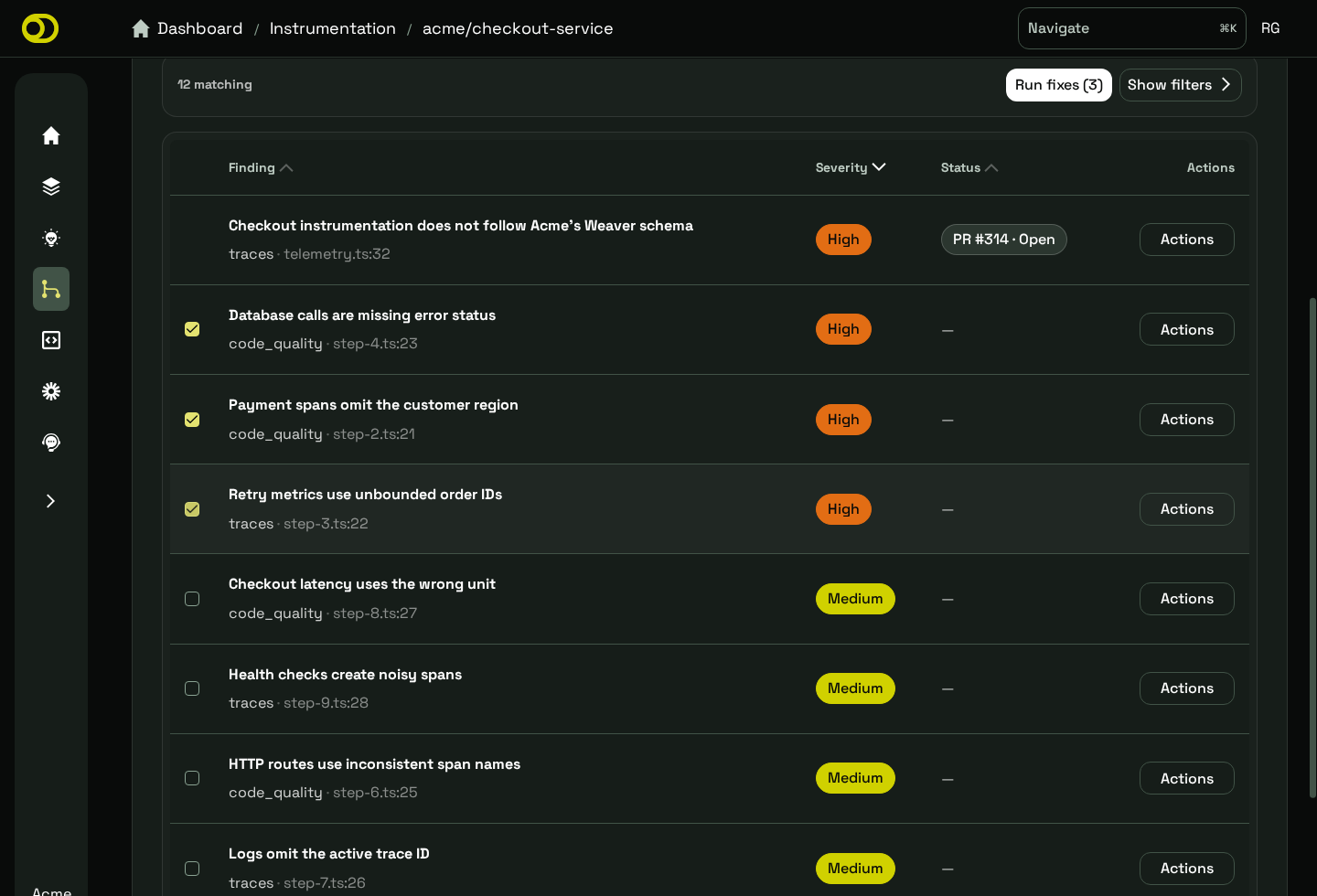
Select active findings, then run their fixes together.
You can leave the page while the fix is running and return to check its status. Wait for the current fix to finish before starting overlapping work for the same repository.
If Rose cannot prepare a change, the findings stay active. Try a smaller set or use Copy prompt. See Troubleshoot Rose if the same finding fails again.
Review the pull request
Treat a Rose pull request like any other code change:
- Read the changed code and the linked findings.
- Run the repository’s relevant checks.
- Edit or request changes when needed.
- Merge only when the change is ready. Rose does not merge it for you.
Ask Rose for follow-up changes
On an open pull request created by Rose, start a new general comment with the Rose App mention shown for your installation, then describe the change you want. A collaborator with write access must make the request. Use a general comment rather than an inline review comment.
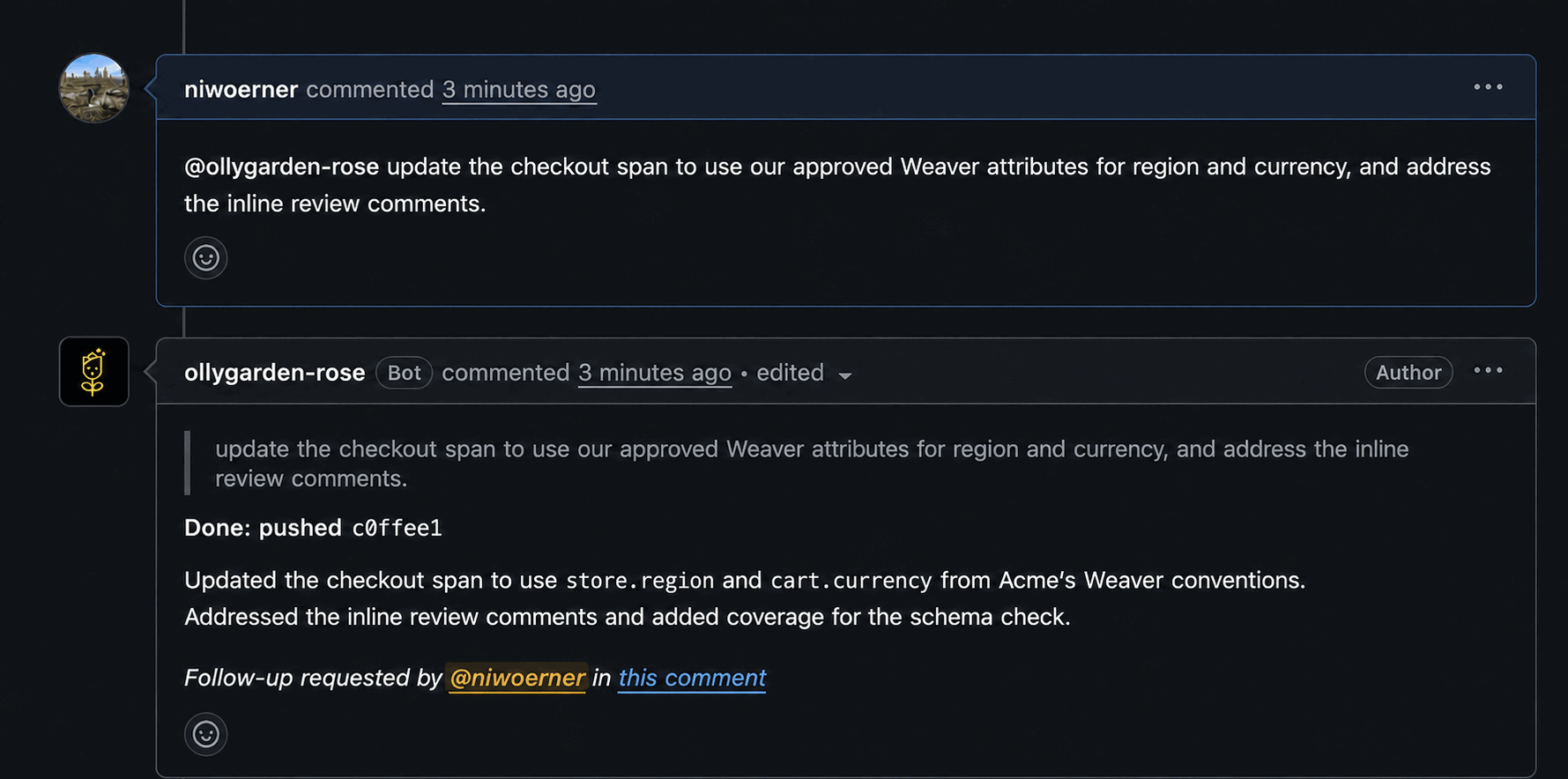
Rose applies requested updates to the existing branch and reports the work in the same conversation.
Rose reads the current inline review comments for context. It updates one response comment while working and, if code changes are needed, can push one commit to the existing pull request branch. Rose does not open another pull request or overwrite a branch that changed after the follow-up started.
After the change reaches the default branch, a later Review can mark findings as resolved if they no longer match. There is no separate verification step in Rose; check the code and telemetry through your normal development workflow.